Pushout Detection
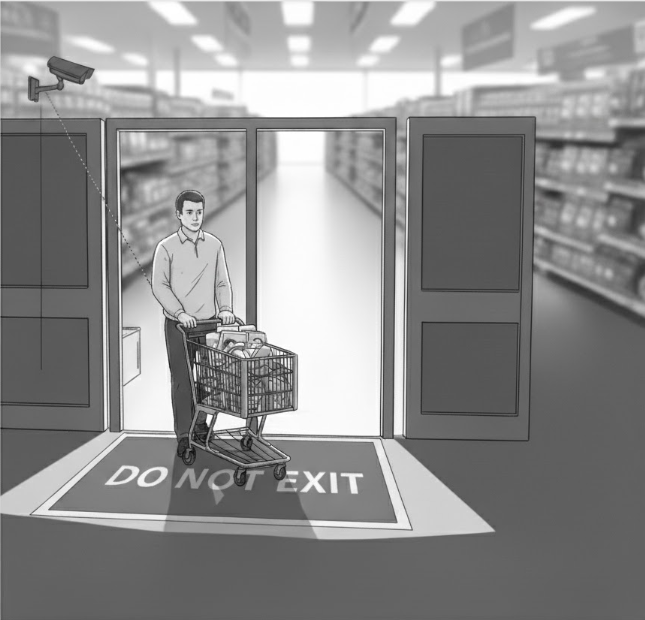
Pushout Detection monitors for cart pushout incidents where individuals leave the store with unpaid merchandise in a shopping cart.
What is Cart Pushout?
Cart pushout (or shopping cart theft) occurs when a person fills a shopping cart with merchandise and exits the store without paying, bypassing checkout lanes.
Pushout Alerts
When Pushout Detection identifies a potential incident, an alert is automatically generated and sent to the Alerts page.
Pushout alerts include:
- Video footage of the incident
- Timestamp and camera location
Responding to alerts:
- Review the alert video to confirm the incident
- If confirmed as pushout, take immediate action:
- Alert floor staff or security
- Attempt to intervene if safe
- Document the incident
- Escalate to a case for investigation and loss documentation
- If false positive, dismiss the alert
Configuration
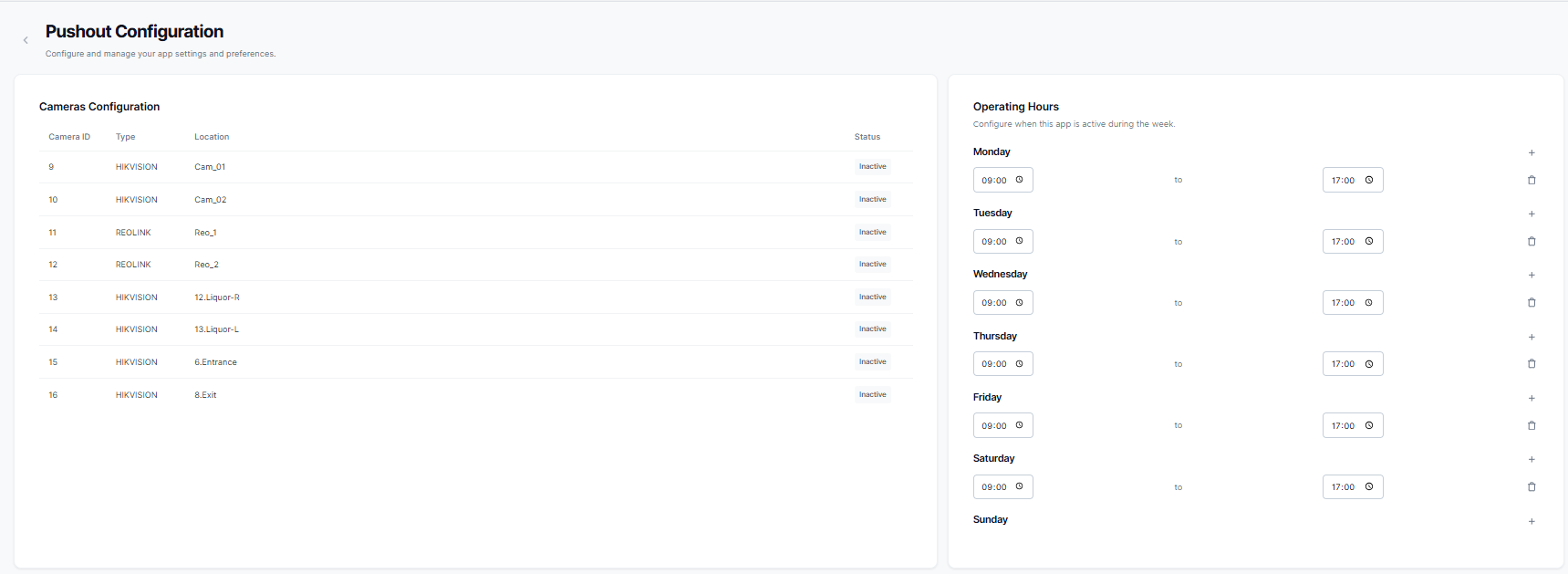
Configuration options:
Enabling Pushout Detection
If Pushout Detection is not yet activated for your store, you'll see information about the app:
To enable Pushout Detection:
- Click the "Enable" button
- The app will be activated for your store
- Real-time monitoring begins automatically
Once enabled, Pushout Detection starts analyzing video feeds from configured cameras to detect potential pushout incidents.
Disabling Pushout Detection
If you need to disable Pushout Detection:
- Click the "Disable" button
- Confirm the action
- Real-time monitoring will stop
- Existing alert history is preserved
You can re-enable Pushout Detection at any time to resume monitoring.